
Mornaces.com pop-ups are intrusive browser notifications that appear without warning and often promote scam websites, fake virus alerts, gambling platforms, or malicious downloads. These pop-ups can show up even when your browser is closed, making them particularly frustrating and dangerous.
If you are seeing notifications from Mornaces.com, your browser has been tricked into granting notification permissions to this deceptive website. This guide explains what Mornaces.com is, why the pop-ups appear, and how to remove them permanently from your device.
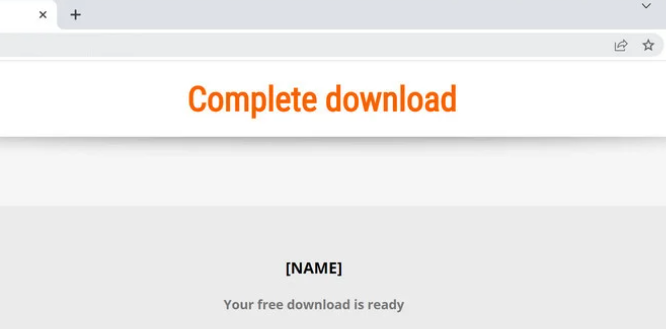
What Is Mornaces.com?
Mornaces.com is a browser notification spam website that abuses legitimate push notification features. It is commonly associated with adware networks and malicious advertising campaigns.
The site typically displays deceptive prompts such as:
- Click Allow to confirm you are not a robot
- Enable notifications to continue
- Press Allow to watch the video
These messages are fake. Once the Allow button is clicked, Mornaces.com gains permission to send unlimited notifications directly to your desktop or mobile device.
Google explains how website notifications work here:
https://support.google.com/chrome/answer/3220216
Why Am I Getting Mornaces.com Pop-Ups?
Mornaces.com pop-ups usually appear after:
- Visiting unsafe streaming, torrent, or adult websites
- Clicking misleading advertisements
- Installing free software bundled with adware
- Falling for fake CAPTCHA or update alerts
In most cases, users are not aware they granted notification access.
Signs Your Browser Is Affected by Mornaces.com
You may be dealing with Mornaces.com notification spam if you notice:
- Persistent pop-ups in the bottom-right corner of your screen
- Fake system warnings claiming your device is infected
- Redirects to phishing or scam websites
- Increased ads and reduced browser performance
These symptoms often indicate notification abuse or adware presence.
Step 1: Remove Mornaces.com Notification Permissions
Removing notification permissions will immediately stop the pop-ups.
Google Chrome (Windows and macOS)
- Open Chrome
- Go to Settings
- Click Privacy and security
- Select Site Settings
- Open Notifications
- Under Allowed, locate Mornaces.com
- Click Remove or Block
Official Chrome guide:
https://support.google.com/chrome/answer/114662
Mozilla Firefox
- Open Firefox and go to Settings
- Click Privacy and Security
- Scroll to Permissions
- Click Settings next to Notifications
- Find Mornaces.com and select Remove Website
Firefox documentation:
https://support.mozilla.org/en-US/kb/push-notifications-firefox
Microsoft Edge
- Open Edge and go to Settings
- Select Cookies and site permissions
- Click Notifications
- Locate Mornaces.com
- Choose Remove or Block
Android (Google Chrome)
- Open Chrome
- Tap the menu and go to Settings
- Select Site settings
- Tap Notifications
- Find Mornaces.com
- Tap Clear and Reset
Android notification control guide:
https://support.google.com/chrome/answer/2392971
iPhone and iPad (Safari)
Safari does not support website push notifications like desktop browsers. However, if redirects persist:
- Open Settings
- Tap Safari
- Select Clear History and Website Data
Apple Safari security overview:
https://support.apple.com/en-us/HT201265
Step 2: Remove Suspicious Browser Extensions
Adware extensions can continue redirecting you to Mornaces.com.
Chrome and Edge
- Go to Extensions
- Review all installed add-ons
- Remove unknown or suspicious extensions
Chrome extension safety tips:
https://support.google.com/chrome/answer/187443
Firefox
- Open Add-ons and Themes
- Disable and remove unfamiliar extensions
Step 3: Scan Your Device for Adware and Malware
Mornaces.com is often linked to adware infections bundled with free software.
Run a full system scan using trusted tools such as:
- Malwarebytes
https://www.malwarebytes.com - AdwCleaner
https://www.malwarebytes.com/adwcleaner - Windows Defender
https://www.microsoft.com/windows/comprehensive-security
Learn more about adware threats:
https://www.malwarebytes.com/adware
Step 4: Reset Browser Settings (Highly Recommended)
Resetting your browser removes hidden scripts, malicious settings, and unwanted changes.
Reset Google Chrome
Chrome reset instructions:
https://support.google.com/chrome/answer/3296214
Refresh Mozilla Firefox
Firefox refresh guide:
https://support.mozilla.org/en-US/kb/refresh-firefox-reset-add-ons-and-settings
Is Mornaces.com Dangerous?
Mornaces.com is not a traditional virus, but it is potentially dangerous. The notifications it sends often lead to:
- Phishing websites
- Fake technical support scams
- Malware and trojan downloads
- Identity theft attempts
The U.S. Federal Trade Commission explains phishing risks here:
https://consumer.ftc.gov/articles/phishing-scams
Immediate removal is strongly advised.
How to Prevent Mornaces.com Pop-Ups in the Future
To stay protected from notification spam and malicious websites:
- Never click Allow on unfamiliar websites
- Use a reputable ad blocker
- Keep your browser and operating system updated
- Download software only from official sources
- Perform regular malware scans
Online safety best practices:
https://www.staysafeonline.org
Frequently Asked Questions (FAQs)
Is Mornaces.com a virus?
No, Mornaces.com is not a virus, but it is a browser notification abuse website that exposes users to serious online threats.
Why do pop-ups appear even when my browser is closed?
Push notifications work at the system level once permission is granted, allowing pop-ups to appear even when the browser is not open.
Can Mornaces.com infect my phone?
It cannot directly infect your phone, but it can lead you to malicious websites that may install harmful apps or steal personal data.
Will blocking notifications fix the issue?
Yes. Removing notification permissions stops the pop-ups immediately, but scanning for adware is still recommended.
Final Verdict
Mornaces.com pop-ups are misleading, intrusive, and unsafe. While they rely on browser notification abuse rather than direct infection, they pose serious security risks through the content they promote.
By removing notification permissions, uninstalling suspicious extensions, scanning for adware, and resetting your browser, you can permanently eliminate Mornaces.com pop-ups and protect your device.
Related Scam Alerts and Reviews
- How to Remove Lightejustbetwe.Org Pop-Up Ads
- How to Remove Rkev-Adguard.Pro Pop-Up Ads
- Citrus Burn Supplement Reviews
- Bnsa.click Tasks Scam
- Vip2.trustwk.cfd Tasks Scam Review
- Ud3vp.cc Tasks Scam
- GtGamb.cc Reviews
- How to Remove Bucremonan.com Pop-Ups
- How to Remove Pusittifies.com Pop‑Ups
- Watchbag.net Reviews
- How to Remove Cfruoptimizek.today Pop-Up Ads
- Lipo Flow Drops Supplement Reviews
- Membercost.com Review
- Michael & Amanda Boston Scam Store Review
- How to Remove Nizationservantasr.org Pop-Up Ads
- Silberbergofficial.com Review
- Power Grid Pro Energy Saver Reviews
- Teiiend.com Review
- Sugar Clean Drops Supplement Review
- Ssvobase.shop Review
- BurnSlim Supplement Reviews
- How to Remove Iptil.Adsstreamline.top Pop-Up Ads
