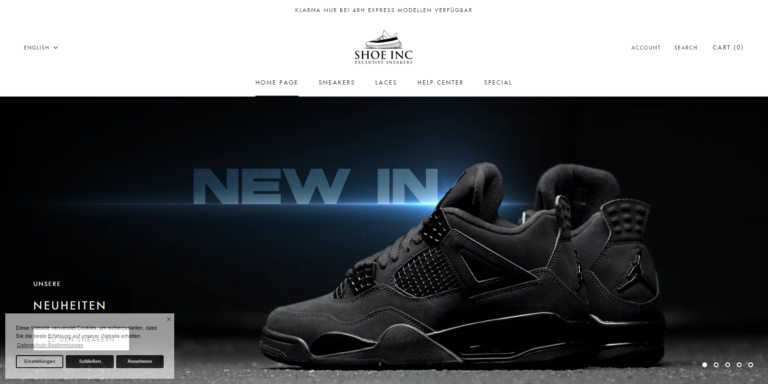
Online shopping offers convenience, competitive prices, and access to products from around the world. However, scammers have also taken advantage of the growing popularity of e-commerce by creating fake online stores that steal money, payment information, and personal data.
Whether you’re buying clothing, electronics, beauty products, or household items, knowing how to identify scam websites can help you shop safely and protect your finances.
Why Online Shopping Scams Are Increasing
Fraudsters create convincing fake shopping websites that imitate legitimate retailers. They often promote these websites through social media advertisements, phishing emails, text messages, and search engine ads.
Common online shopping scams include:
- Fake online stores
- Counterfeit products
- Non-delivery scams
- Credit card theft
- Identity theft
- Phishing websites
According to the U.S. Federal Trade Commission (FTC), online shopping scams remain one of the most commonly reported types of consumer fraud.
1. Check the Website URL Carefully
Always inspect the website address before making a purchase.
Be cautious if the URL:
- Contains misspelled brand names
- Uses unusual domain extensions
- Includes extra words or random numbers
- Doesn’t match the official company website
For example:
Legitimate
example.com
Suspicious
example-store-sale.shop
It’s always safer to type the website address directly into your browser instead of clicking links from emails or social media.
2. Look for HTTPS Encryption
Before entering any personal or payment information, verify that the website uses HTTPS.
Look for:
- A padlock icon
- URLs beginning with https://
HTTPS encrypts your connection, although it does not guarantee that a website is legitimate.
Learn more about secure browsing from the Cybersecurity and Infrastructure Security Agency (CISA).
3. Research the Website Before Buying
Spend a few minutes researching unfamiliar online stores.
Useful resources include:
Search for phrases like:
- Website Name Reviews
- Website Name Scam
- Is Website Name Legit?
Reading independent customer reviews can reveal problems such as undelivered orders, poor customer service, or refund issues.
4. Verify Contact Information
Legitimate businesses usually provide:
- Physical business address
- Customer support email
- Telephone number
- Contact page
- Business hours
If you cannot find any contact information, proceed with caution.
5. Be Skeptical of Huge Discounts
One of the biggest warning signs of a scam website is unrealistic pricing.
Examples include:
- Smartphones selling for 90% off
- Luxury watches at extremely low prices
- Designer handbags costing only a few dollars
If a deal appears too good to be true, it probably is.
Compare prices with reputable retailers before purchasing.
6. Read the Return and Refund Policy
Always review a website’s:
- Return policy
- Refund policy
- Shipping information
- Delivery times
Trustworthy online retailers clearly explain these policies.
Vague, copied, or missing policies may indicate a fraudulent website.
7. Check the Domain Registration
Many scam websites are only weeks or months old.
You can check domain registration information using:
A newly registered website isn’t necessarily fraudulent, but if combined with other warning signs, it deserves extra caution.
8. Read Independent Customer Reviews
Don’t rely solely on testimonials displayed on the website itself.
Look for reviews on:
- Trustpilot
- Scam-reporting websites
Watch for complaints involving:
- Orders never arriving
- Counterfeit products
- Refund refusals
- Poor customer support
9. Use Secure Payment Methods
Whenever possible, use payment methods that provide buyer protection, such as:
- Credit cards
- Secure online payment services
Avoid paying unfamiliar sellers using:
- Wire transfers
- Cryptocurrency
- Gift cards
- Direct bank transfers
These payment methods usually offer little or no protection if something goes wrong.
10. Avoid Clicking Shopping Links in Emails or Text Messages
Scammers frequently send fake promotions through:
- SMS
- Facebook Messenger
- Social media ads
Instead of clicking the link, visit the retailer’s official website directly.
11. Watch for Poor Website Quality
Many fraudulent websites contain:
- Grammar mistakes
- Broken pages
- Blurry images
- Copied product descriptions
- Missing policies
Although some scam websites appear professional, multiple quality issues should raise concerns.
12. Protect Your Personal Information
Only provide information necessary to complete your purchase.
Never share:
- Banking passwords
- One-time verification codes (OTPs)
- Social Security numbers or national identification numbers unless legally required
- PINs
Legitimate online stores generally don’t request this information for ordinary purchases.
Warning Signs of a Scam Website
Be cautious if you notice:
- Extremely low prices
- Recently created domain
- No physical address
- No customer support
- Poor grammar
- Fake-looking reviews
- Pressure to buy immediately
- Only cryptocurrency or bank transfer payments
- Missing privacy policy
- No refund policy
If several of these warning signs appear together, it’s best to avoid the website.
What to Do If You Think You’ve Been Scammed
If you believe you’ve purchased from a fraudulent website:
- Contact your bank or credit card provider immediately.
- Request a chargeback if available.
- Change your passwords.
- Enable two-factor authentication.
- Monitor your bank statements.
- Report the website to your local consumer protection agency.
- Scan your device for malware if you downloaded files.
Consumers in the United States can report fraud through the FTC ReportFraud portal. If you’re in another country, report the incident to your national consumer protection or cybercrime authority.
Additional Online Shopping Safety Tips
To reduce your risk:
- Shop from well-known retailers whenever possible.
- Keep your browser and devices updated.
- Use strong, unique passwords.
- Enable two-factor authentication.
- Avoid shopping over public Wi-Fi unless using a trusted VPN.
- Save receipts and order confirmations.
- Review your financial statements regularly.
Frequently Asked Questions
Can a website have HTTPS and still be a scam?
Yes. HTTPS encrypts your connection but does not verify a business’s trustworthiness. Always consider other warning signs before making a purchase.
How can I tell if an online store is legitimate?
Research reviews, verify contact information, inspect the domain registration, review the refund policy, and compare prices with reputable retailers.
What payment method is safest for online shopping?
Credit cards and reputable payment services that offer buyer protection generally provide stronger consumer protections than wire transfers, gift cards, or cryptocurrency payments.
Should I trust social media ads for online stores?
Not automatically. While many legitimate businesses advertise on social media, scammers do as well. Verify the retailer independently before purchasing.
Final Thoughts
Online shopping can be both convenient and secure when you take a few simple precautions. Before making a purchase, verify the retailer’s reputation, inspect the website carefully, and choose payment methods that offer buyer protection. Spending a few extra minutes researching a store can help you avoid scams, protect your personal information, and enjoy a safer shopping experience.
Related Articles
- How to Stay Safe When Shopping for Supplements Online
- How to Spot Fake Supplement Websites
- Dietary Supplements: What You Should Know Before Buying
- Understanding Weight Loss Supplement Claims
- Tips for Choosing Safe and Reputable Health Supplements
- Slim Metrix Supplement Review
- Gluco Tonic Drops Review
- How to Choose Safe and Reputable Wireless Earbuds